TIL: llmfit
Choose the best open-source local LLM for your work

Today I came across this project, which I think will make my life easier in the future.
If you want to test open-source LLMs locally, you’ve probably wondered whether they’d run smoothly on your machine. Well, llmfit solves exactly that problem!
Installation
Windows
You should have Scoop installed to download the package.
$ scoop install llmfitMacOS
$ brew install llmfitLinux
$ curl -fsSL https://llmfit.axjns.dev/install.sh | shDocker
$ docker run ghcr.io/alexsjones/llmfitUsage
TUI
By default, when running the command line, it launches a Text-based User Interface (TUI).
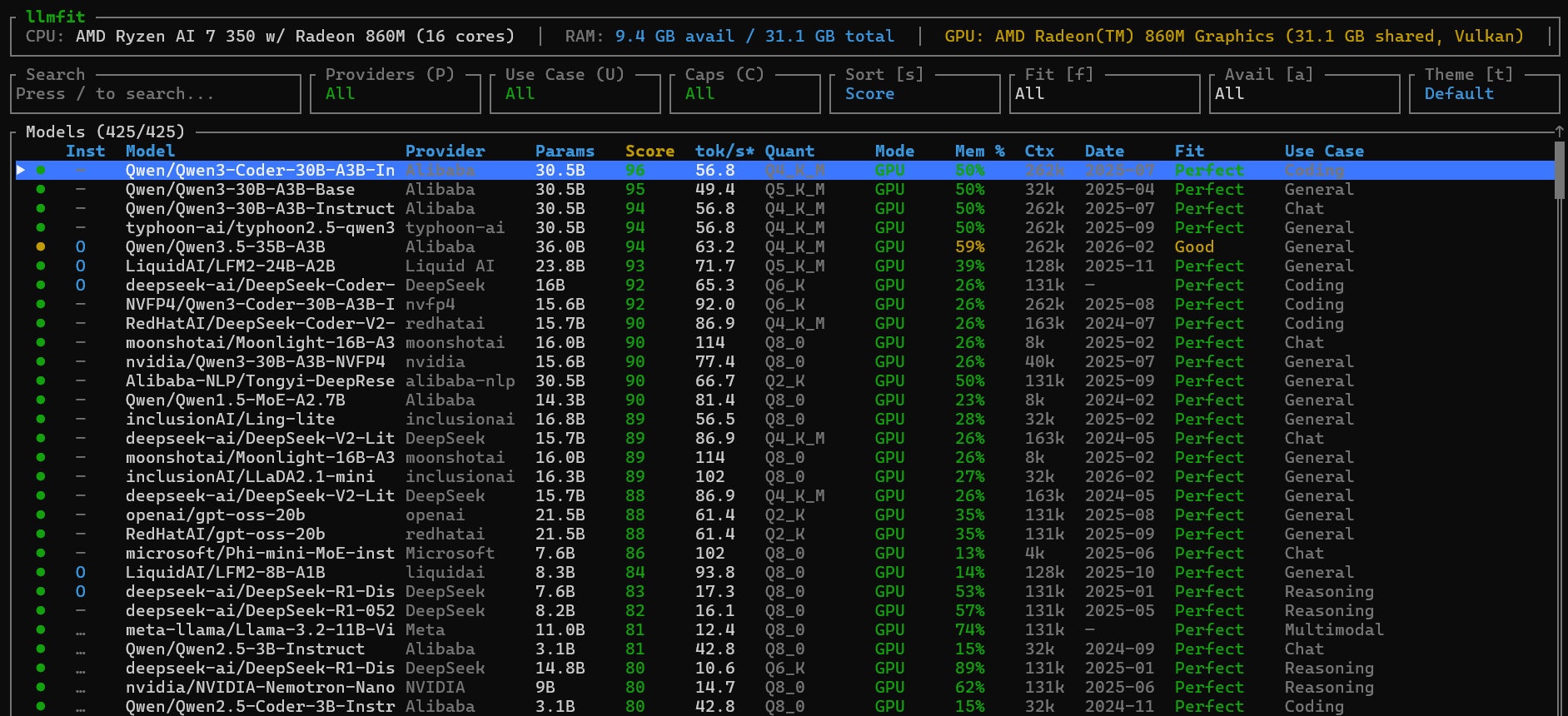
$ llmfitThis is what I got on my Windows. You can filter models by provider, fit score, etc… For more information about the navigation, read this section of the documentation.
When you select a model with the Enter Key, you have the details of his architecture.
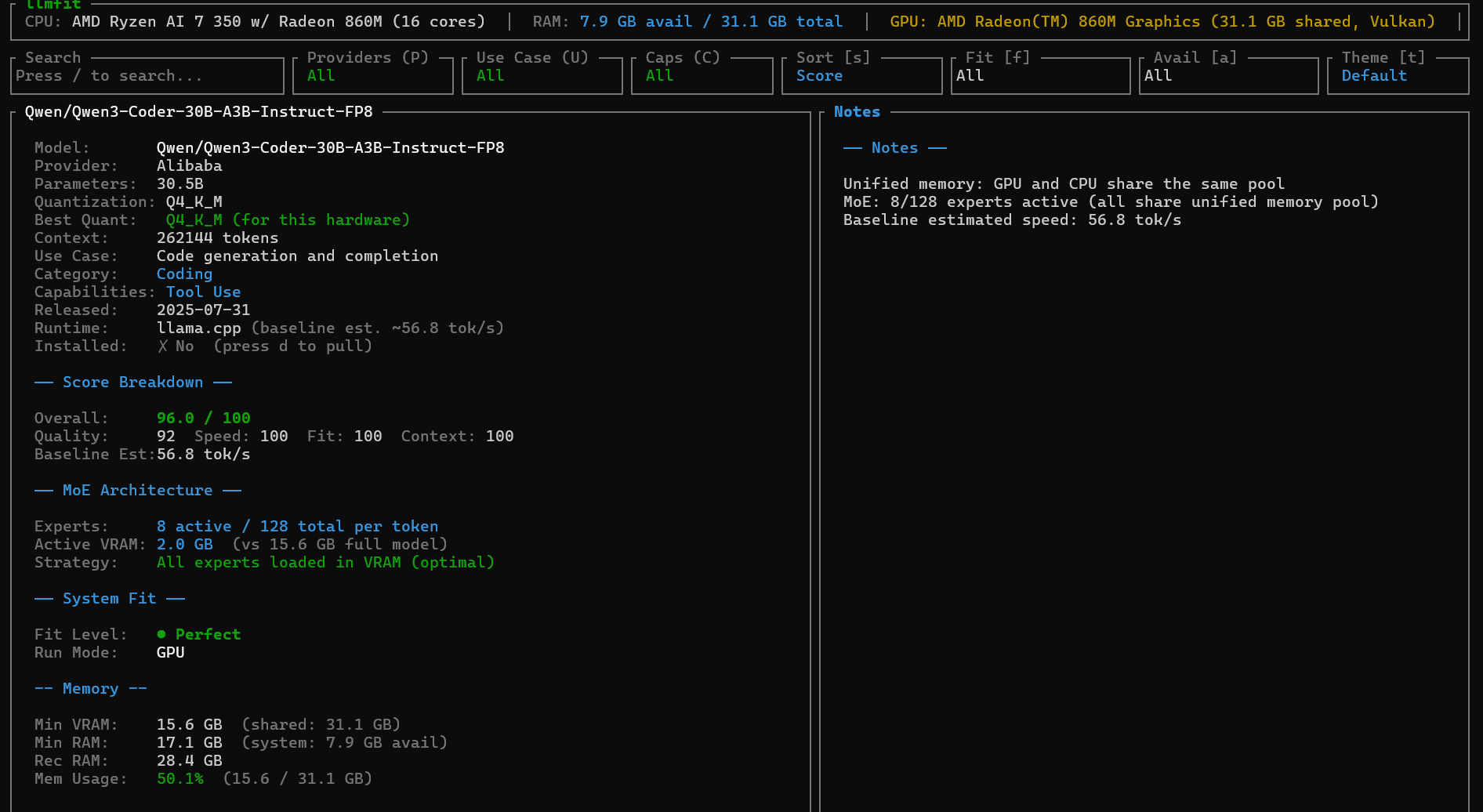
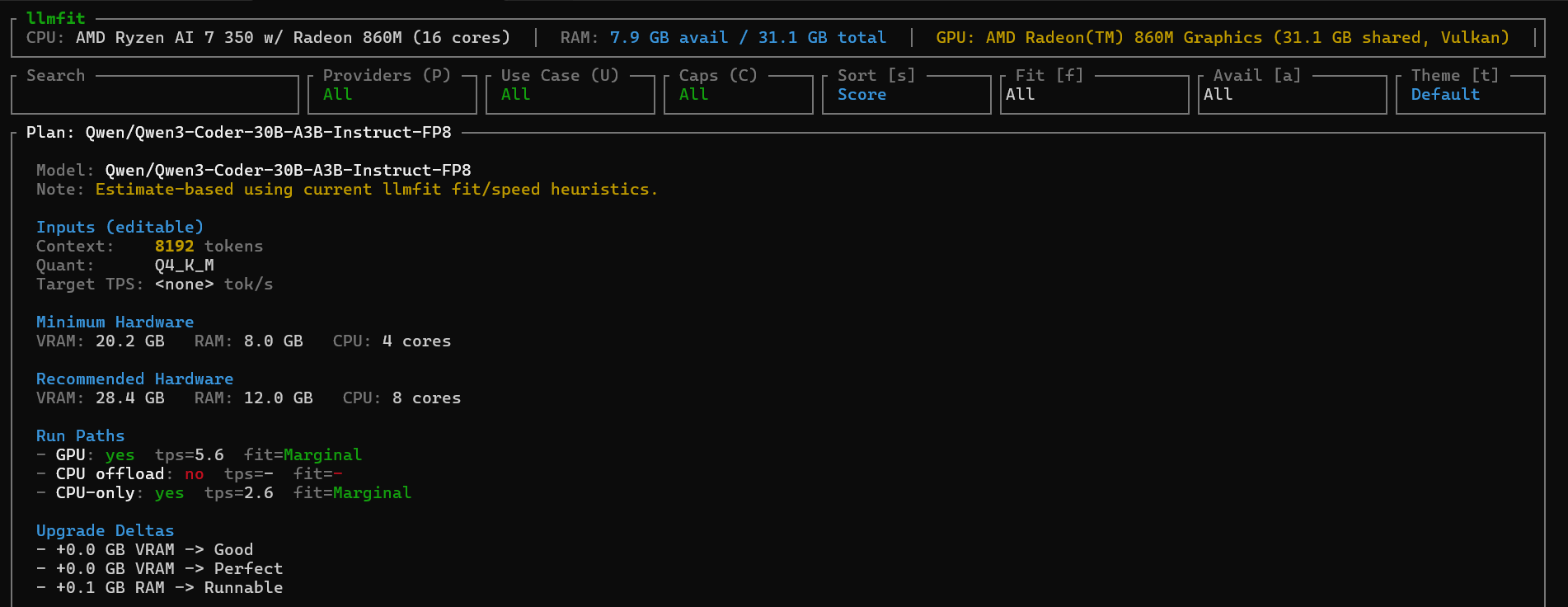
To come back to the dashboard, just use the Esc key. Also, if you want to know the exact hardware needed to run a particular model, just enter p on the desired model.
Web Interface
If you are not at your ease with the TUI, don’t worry! Lllmfit got your back with a web interface! By default, it will automatically open at http://localhost:8787.
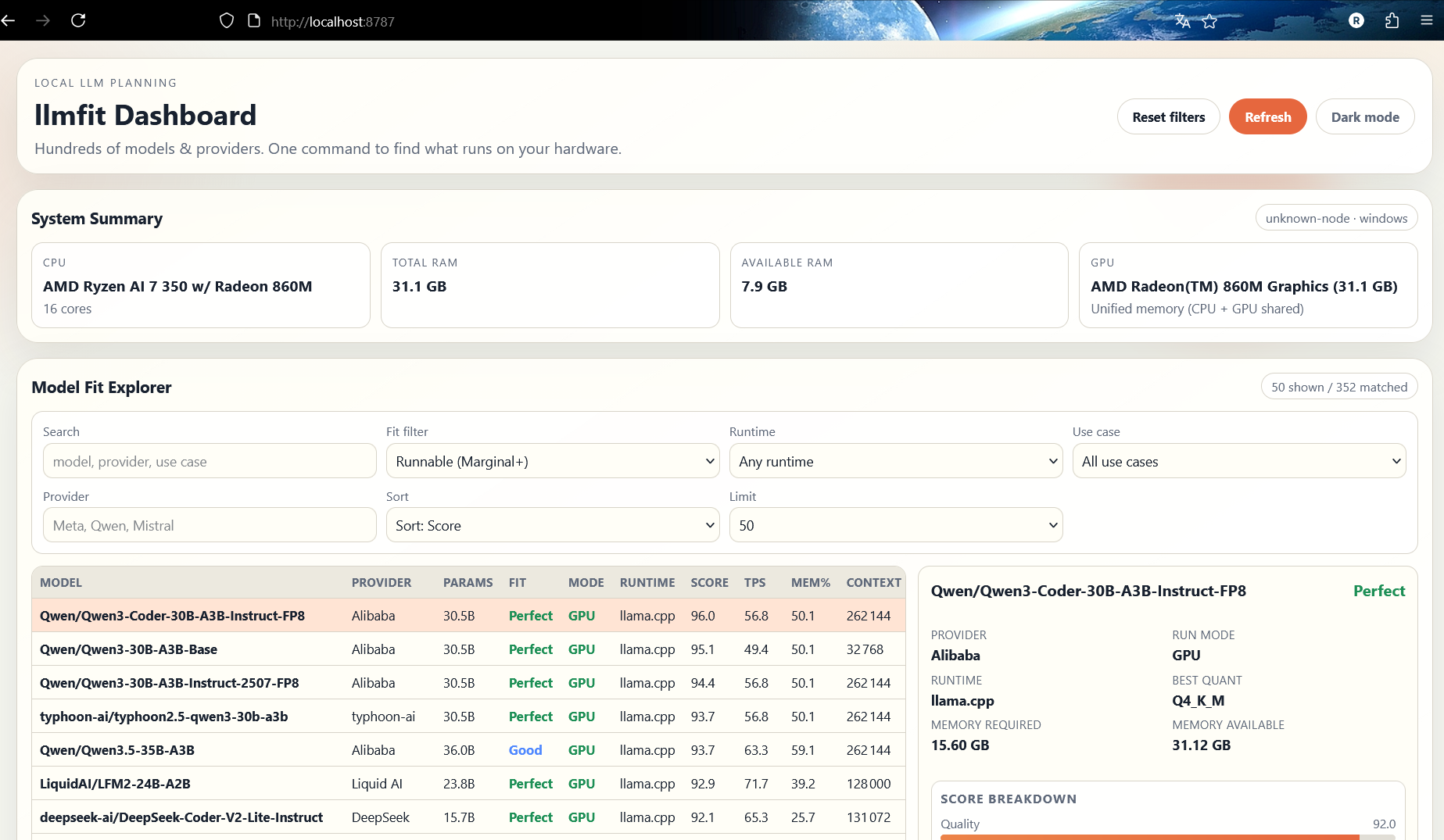
You can customize the host and port if you want by setting the following two environment variables before running llmfit:
$ LLMFIT_DASHBOARD_HOST=0.0.0.0 LLMFIT_DASHBOARD_PORT=9000 llmfitCommand Line Interface
Lllmfit also comes packed with a traditional command-line interface. If you try to run the following command, it will list the first 10 compatible models from its knowledge base.
$ llmfit --cli --limit 10

=== System Specifications ===
CPU: AMD Ryzen AI 7 350 w/ Radeon 860M (16 cores)
Total RAM: 31.12 GB
Available RAM: 7.61 GB
Backend: Vulkan
GPU: AMD Radeon(TM) 860M Graphics (unified memory, 31.12 GB shared, Vulkan)

(144 models hidden — incompatible backend)

=== Model Compatibility Analysis ===
Found 10 compatible model(s)

╭────────────┬──────────────────────────────────────────────┬────────────┬───────┬───────┬────────────┬────────┬───────────┬──────┬───────┬─────────╮
│ Status     │ Model                                        │ Provider   │ Size  │ Score │ tok/s est. │ Quant  │ Runtime   │ Mode │ Mem % │ Context │
├────────────┼──────────────────────────────────────────────┼────────────┼───────┼───────┼────────────┼────────┼───────────┼──────┼───────┼─────────┤
│ 🟢 Perfect │ Qwen/Qwen3-Coder-30B-A3B-Instruct-FP8        │ Alibaba    │ 30.5B │ 96    │ 56.8       │ Q4_K_M │ llama.cpp │ GPU  │ 50.1% │ 262k    │
│ 🟢 Perfect │ Qwen/Qwen3-30B-A3B-Base                      │ Alibaba    │ 30.5B │ 95    │ 49.4       │ Q5_K_M │ llama.cpp │ GPU  │ 50.1% │ 32k     │
│ 🟢 Perfect │ Qwen/Qwen3-30B-A3B-Instruct-2507-FP8         │ Alibaba    │ 30.5B │ 94    │ 56.8       │ Q4_K_M │ llama.cpp │ GPU  │ 50.1% │ 262k    │
│ 🟢 Perfect │ typhoon-ai/typhoon2.5-qwen3-30b-a3b          │ typhoon-ai │ 30.5B │ 94    │ 56.8       │ Q4_K_M │ llama.cpp │ GPU  │ 50.1% │ 262k    │
│ 🟡 Good    │ Qwen/Qwen3.5-35B-A3B                         │ Alibaba    │ 36.0B │ 94    │ 63.2       │ Q4_K_M │ llama.cpp │ GPU  │ 59.1% │ 262k    │
│ 🟢 Perfect │ LiquidAI/LFM2-24B-A2B                        │ Liquid AI  │ 23.8B │ 93    │ 71.7       │ Q5_K_M │ llama.cpp │ GPU  │ 39.2% │ 128k    │
│ 🟢 Perfect │ deepseek-ai/DeepSeek-Coder-V2-Lite-Instruct  │ DeepSeek   │ 16B   │ 92    │ 65.3       │ Q6_K   │ llama.cpp │ GPU  │ 25.7% │ 131k    │
│ 🟢 Perfect │ NVFP4/Qwen3-Coder-30B-A3B-Instruct-FP4       │ nvfp4      │ 15.6B │ 92    │ 92.0       │ Q6_K   │ llama.cpp │ GPU  │ 25.7% │ 262k    │
│ 🟢 Perfect │ RedHatAI/DeepSeek-Coder-V2-Lite-Instruct-FP8 │ redhatai   │ 15.7B │ 90    │ 86.9       │ Q4_K_M │ llama.cpp │ GPU  │ 25.7% │ 163k    │
│ 🟢 Perfect │ moonshotai/Moonlight-16B-A3B-Instruct        │ moonshotai │ 16.0B │ 90    │ 114.4      │ Q8_0   │ llama.cpp │ GPU  │ 26.4% │ 8k      │
╰────────────┴──────────────────────────────────────────────┴────────────┴───────┴───────┴────────────┴────────┴───────────┴──────┴───────┴─────────╯
You can append the —json flag to every command to have the result of the command in JSON format.
Here is a cheatsheet of the most useful commands:
# Table of all models ranked by fit
llmfit --cli

# Only perfectly fitting models, top 5
llmfit fit --perfect -n 5

# Show detected system specs
llmfit system

# List all models in the database
llmfit list

# Search by name, provider, or size
llmfit search "llama 8b"

# Detailed view of a single model
llmfit info "Mistral-7B"

# Top 5 recommendations (JSON, for agent/script consumption)
llmfit recommend --json --limit 5

# Recommendations filtered by use case
llmfit recommend --json --use-case coding --limit 3

# Force a specific runtime (bypass automatic MLX selection on Apple Silicon)
llmfit recommend --force-runtime llamacpp
llmfit recommend --force-runtime llamacpp --use-case coding --limit 3

# Plan required hardware for a specific model configuration
llmfit plan "Qwen/Qwen3-4B-MLX-4bit" --context 8192
llmfit plan "Qwen/Qwen3-4B-MLX-4bit" --context 8192 --quant mlx-4bit
llmfit plan "Qwen/Qwen3-4B-MLX-4bit" --context 8192 --target-tps 25 --json

# Run as a node-level REST API (for cluster schedulers / aggregators)
llmfit serve --host 0.0.0.0 --port 8787
Llmfit also has a REST1 API available if you wish to query information from a remote machine that you control.
This is all for this article, hope you enjoy reading it. Take care of yourself and see you soon. 😁